
Best Screen Recording Chrome Extensions
Why use a browser extension for screen recording?
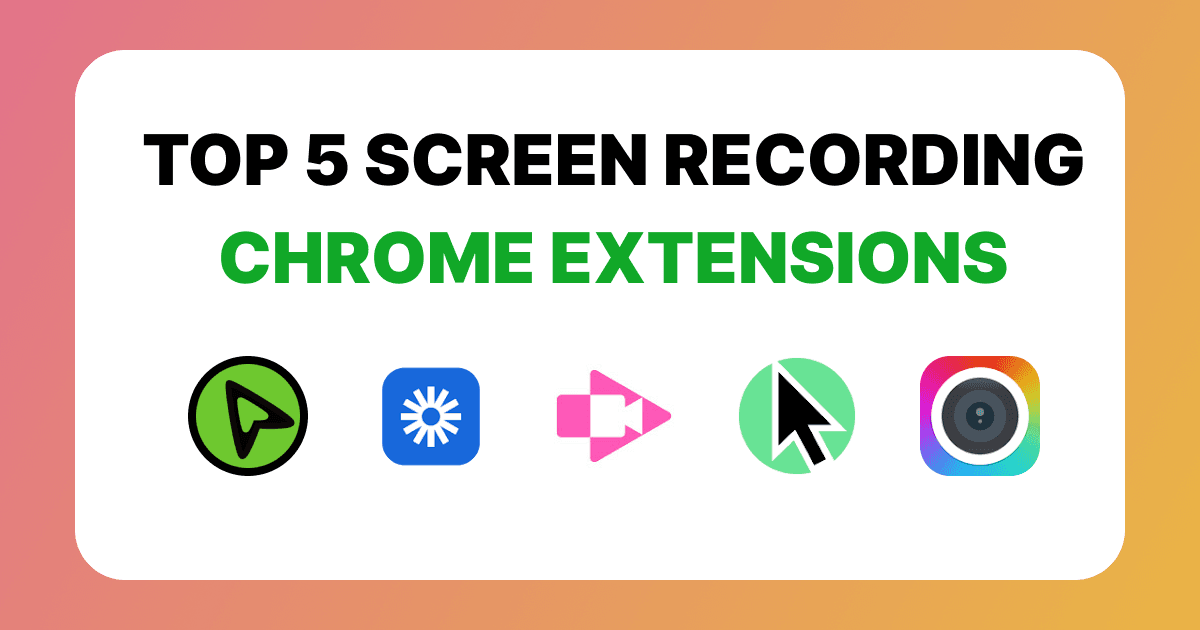
Browser extensions offer a lightweight and convenient way to capture your screen without installing heavy software. In 2026, the landscape of screen recording has evolved with AI-powered features, automatic effects, and seamless cloud integration. Here are the top 5 extensions you should consider this year.
1. Zoomix
Zoomix is a professional screen recorder that uses automatic zooming and cursor tracking to create cinematic product demos without any manual editing. It's designed for makers who want their videos to look like they were made in a professional studio.
Pricing: Free ($0 for unlimited recordings) and Lifetime ($39 one-time for HD exports, no watermark, and lifetime updates).
Key Features:
- Automatic Cursor Zooms: Intelligently follows your actions and zooms in on important clicks.
- Silky Smooth Motion: High-frame-rate tracking for a polished, professional feel.
- Beautiful Backgrounds: Apply beautiful background and modern gradients to your recording.
- No Post-Production: Your video is ready to share as soon as you stop recording.
2. Loom
Loom remains the industry leader for asynchronous video messaging, focusing on team communication rather than high-end production.
Pricing: Starter ($0 for 25 videos, 5-minute limit) and Business ($18/month for unlimited recordings and 4K quality).
Key Features:
- Instant Sharing: Videos are uploaded to the cloud the moment you finish.
- Team Workspaces: Easily organize and share videos with your entire organization.
- Engagement Tracking: See exactly who watched your video and where they dropped off.
- AI Workflows: Automatically generates titles, summaries, and chapters.
3. Screencastify
Screencastify is a veteran in the space, highly valued for its simplicity and deep integration with the Google ecosystem.
- Pricing: Free ($0 for 10 videos, 30-minute limit) and Starter ($19/month for unlimited recordings and 25GB storage).
Key Features:
- Google Integration: Saves directly to Google Drive and integrates with Classroom.
- Annotation Tools: Includes pens, spotlights, and stickers to highlight key areas.
- Built-in Editor: Simple browser-based tools for cropping and merging clips.
- Interactive Questions: Add quizzes to your videos to check for viewer understanding.
4. Cursorful
Cursorful is another great tool for creators, focusing on adding smooth panning and "magnifier" effects to browser-based tutorials.
- Pricing: Free (Unlimited browser recordings) and Pro ($79 one-time for desktop recording and custom cursors).
Key Features:
- Click-Triggered Zooms: Automatically focuses on the area where you click.
- Custom Cursor Styles: Choose from various colors and sizes for your mouse pointer.
- Professional Exports: High-bitrate video output suitable for YouTube and social media.
- Simple Setup: Start recording with a single click without complex configuration.
5. Awesome Screen Recorder & Screenshot
Awesome Screen Recorder & Screenshot is the ultimate multi-tool, combining robust screen capturing with quick video recording capabilities.
- Pricing: Free (Up to 20 recordings) and Professional ($6/month for unlimited recordings and 4K resolution).
Key Features:
- Dual Capabilities: Seamlessly switch between taking screenshots and recording video.
- Annotation Powerhouse: Offers the most comprehensive set of markup tools in the market.
- Blur Sensitive Info: Easily hide passwords or personal data while recording.
- MP4 Exporting: Local downloads in standard formats for easy portability.
Quick Comparison Table
| Feature | Zoomix | Loom | Screencastify | Cursorful | Awesome Screenshot |
|---|---|---|---|---|---|
| Auto Zoom | Yes | No | No | Yes | No |
| Click Highlights | Yes | No | No | Yes | No |
| Custom Backgrounds | Yes | No | No | No | No |
| Webcam Recording | Yes | Yes | Yes | Yes | Yes |
| Cloud Storage | No (Local) | Yes | Yes (GDrive) | No | Yes |
| Team Features | No | Yes | Yes | No | No |
| Free Plan | Unlimited, Watermark | 25 videos, 5m | 10 videos, 30m | Unlimited, SD | 20 recordings |
| Paid Plan | $39 (Lifetime) | $18/mo | $19/mo | $79 (Lifetime) | $6/mo |
| Record Quality | 1080p | 4K | 1080p | 1080p | 4K |
Why choose Zoomix?
While other tools focus on communication or general recording, Zoomix is built specifically for creators who need their demos to look stunning. It bridges the gap between a simple screen recorder and professional video editing software like Screen Studio.
Key Advantages:
- Zero Editing Required: You get professional-grade zooms and backgrounds without ever opening a video editor.
- Modern Aesthetics: Instantly upgrade your brand with sleek window shadows and vibrant backgrounds.
- Lifetime Value: Say goodbye to monthly subscriptions with a one-time lifetime license.
- Built for Speed: Record, export, and share in seconds, not hours.
Similar Blogs
Discover more insights and tips on how to create professional product videos that convert.
Record Product Demo Videos Without Editing
Learn how to record professional product demo videos in minutes using an efficient workflow with automatic zoom, clear structure, and little to no editing.
ScreenStudio vs Zoomix for Product Demos
Compare ScreenStudio and Zoomix for product demos, editing workflow, cursor effects, pricing, exports, and ease of use to find the right screen recorder.
Want to create videos like this?
Zoomix is the fastest way to record high-quality product videos with automatic zoom and professional styling. Try the extension for free today.